


Flipped:Chat with AI Character
4.31.61K Reviews
App Specs
- Version
- 2.0.3
- Updated On
- License
- Free
- Downloads
- 1,000,000+
- Developer
- Flipped Chat
- Categories
- Entertainment
- Platform
- Android
Screenshots

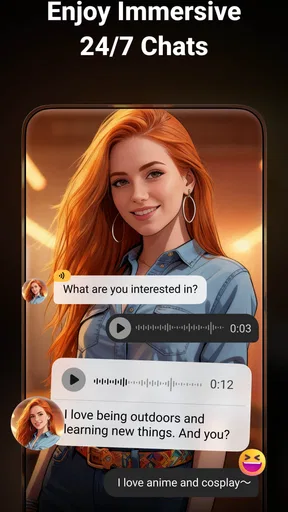
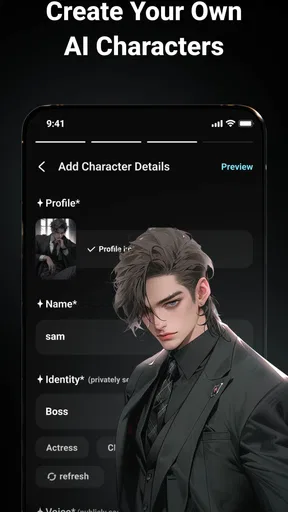
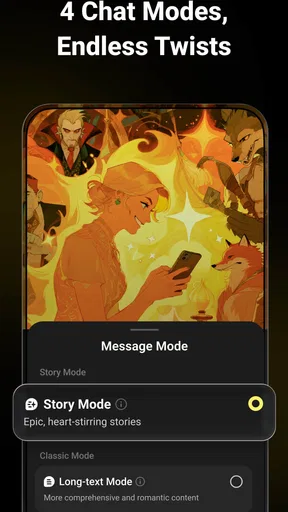

 Analysis by AppCompare
I tried Flipped:Chat with AI Character as an entertainment app built around creating and chatting with your own chatbot. The first impression is easy to understand: instead of opening a general-purpose assistant and starting from a blank conversation, you begin with the idea of a character and then shape the interaction around that personality. That makes the experience feel more like interactive entertainment than a conventional question-and-answer tool.
That distinction matters. I would not choose Flipped when I need dependable research, a precise work assistant, or a replacement for a focused productivity app. I would choose it when I want a conversational character to help me explore a scenario, improvise dialogue, pass time, or turn a vague creative idea into an ongoing chat. In my experience, the quality of the session depends less on asking one perfect question and more on giving the character a clear role, mood, and boundary from the beginning.
The app comes from Flipped Chat, is free to install, and is rated for mature users aged 17 and over. It has attracted more than a million installs, with an average rating of 4.3 from roughly twenty-seven thousand ratings. Those figures suggest that the concept has found a substantial audience, but they do not change the central question: will a character-based chat fit the way you actually want to spend time on your phone?
From a vague idea to a usable character
I find the character handoff works best when I end setup with one clear opening situation, rather than asking the chatbot to explain everything it can do. That gives the first reply something concrete to react to and makes it easier to judge whether the personality feels usable. From there, the next question is how much control I want to keep as the conversation develops.
Starting with the right expectation
The most useful way to approach Flipped is to treat it as a small creative setup rather than a normal messaging app. If I open it expecting a polished human-like relationship or a factual expert, I am likely to notice the gaps quickly. If I open it with a simple goal—such as testing a fictional conversation, developing a personality, or having a themed exchange—the structure makes more sense.
My first practical tip is to decide what outcome I want before creating anything. “I want a funny chat” is a workable starting point, but “I want a sarcastic travel companion who gives short suggestions and challenges my choices” is much stronger. The second version gives the chatbot a behavior to maintain, not just a label to repeat. This is one of the less obvious differences between a satisfying session and a bland one.
I also recommend separating the character’s identity from the situation. A character can be a retired detective, an impatient tutor, or a supportive friend, while the opening scene can be a train station, a study break, or a difficult decision. Keeping those two ideas distinct makes it easier to reuse the same personality in different conversations instead of rebuilding the concept every time.
Worth Reading Before You Choose

EA SPORTS FC Mobile 26 Is a Bigger Football Game, but It Takes Time

Flipboard Shows What News Apps Must Do Beyond the Feed

Switching to Android Auto Means Rethinking Your Driving Routine

Google Calendar Makes a Crowded Week Easier to Manage

Ludo King Makes the Most of the Minutes Between Plans

Baby Panda World Brings Quick Play to Modern Phones, but Its Game Library Feels Busy
Building the conversation around a purpose
Flipped is most interesting when the chatbot has a job inside the conversation. A character that is merely “cool” or “mysterious” may produce an attractive opening, but the exchange can lose direction after a few messages. I had better results when I gave the character a clear conversational task: ask me questions, challenge my assumptions, help me rehearse a scene, or stay in character while I make choices.
This approach also helps with handoffs. I can begin by describing the character, move into a scenario, and then tell the chatbot what kind of response I want. For example, I might ask it to stay concise during a rapid dialogue, then switch to longer explanations when I pause the role-play. That change in instruction is useful because it turns the chat into a workflow rather than a string of unrelated prompts.
A practical limitation appears here: creative freedom can also create inconsistency. The more open-ended the character is, the more important it becomes to restate the rules when the tone drifts. I would not see that as a flaw unique to this app, but it is something a new user should expect. A character concept is not a guarantee that every reply will preserve the same voice perfectly.
Making the first messages work harder
The opening exchange is worth treating as a calibration stage. Instead of immediately asking for a long story, I prefer to test the character with three small prompts: one that checks personality, one that checks boundaries, and one that checks usefulness. If the character is meant to be a strict coach, I might ask for a blunt critique, a refusal to do something outside its role, and a short next step. This quickly shows whether the setup is usable.
Another helpful habit is to correct the chatbot early and specifically. “That was wrong” is less useful than “Keep the dry humor, but stop speaking for my character.” The latter protects my control over the exchange and prevents the conversation from becoming a narration I did not ask for. For role-play, this is especially important: I want Flipped to support the scene, not take over every participant in it.
Users who prefer a simple, passive experience may find this preparation unnecessary. That is a fair criticism. The app’s appeal comes partly from participation, so it rewards people who enjoy shaping a conversation. Someone looking for an instant stream of finished entertainment may prefer a video app, a conventional social feed, or a game with fixed progression instead.
A realistic everyday workflow
Imagine I have a short break after work and want to practice a difficult conversation before making a phone call. I can create a character who represents the other person, define the situation, and ask for realistic objections rather than comforting replies. I then answer as myself, letting the chatbot continue the exchange. After a few rounds, I can ask the character to summarize the strongest points it raised and identify where my response sounded unclear.
The value in that scenario is not that Flipped replaces professional advice or guarantees a realistic prediction. The value is that it gives me a low-pressure rehearsal space. I can restart, change the tone, or try a different response without involving another person. For creative writing, the same flow can become a dialogue test: create a personality, place it in conflict, then use the chat to find lines or reactions that I would not have written immediately.
For this kind of use, I would keep a short personal template outside the conversation: character role, desired tone, situation, limits, and preferred reply length. Reusing that structure makes new chats more consistent and reduces the time spent explaining the same expectations. It is a small workflow improvement, but it makes the app feel much more deliberate.
Where the conversation hands off—and where it breaks
I treat a change in purpose as a fresh cue, not an assumption the character will infer: a playful scene, a serious rehearsal, and a request for practical feedback each need a different tone. When replies start taking over my role or circling the same idea, I redirect with a short instruction or stop and reset the premise. That balance between spontaneity and steering is what shapes the experience that follows.
Moving from setup to live chat
The main handoff is from designing the character to actually talking with it. That transition is where the app either becomes entertaining or feels like work. A good setup should disappear once the exchange starts. If I have to keep rewriting the character’s entire identity in every message, the initial design has not done enough.
I found it more effective to use short corrective instructions during the chat. A phrase such as “stay in role, ask one question, and wait for my answer” gives the conversation a clear rhythm. Long blocks of explanation can bury the immediate goal, while short reminders keep the interaction focused. This is also a useful way to control the difference between a character meant for storytelling and one meant for practical rehearsal.
The handoff from one topic to another needs similar care. If I move from playful role-play to a serious personal question without signaling the change, the response may keep the old tone. I prefer to announce the shift directly and say whether I want the character voice preserved. That small instruction prevents an amusing persona from making an inappropriate response when the subject becomes more sensitive.
Keeping control of the user’s role
One of Flipped’s strengths is that the user can make the chatbot part of a scene, but that can also become a source of friction. In a collaborative story, I want the app to generate a character’s reaction while leaving my own decisions to me. If the chatbot begins deciding what I say or do, the experience becomes less interactive.
My workaround is to define ownership at the start: the chatbot controls its character, while I control mine. I also ask it to end at a decision point instead of resolving the entire scene. This creates a useful handoff back to me. It is a subtle distinction, but it changes the session from reading generated prose to participating in a conversation.
This matters for younger users in particular, although the app is intended for mature audiences. Parents and guardians should not treat the mature rating as a minor label. The conversational format can encourage personal disclosure or emotionally intense exchanges, so I would use the app with sensible boundaries and avoid treating a chatbot as a private confidant with human judgment.
Understanding the difference from ordinary AI assistants
Compared with a typical general AI assistant, Flipped feels more character-led and less task-led. A general assistant is usually the better choice when I want a clean answer, structured planning, coding help, or a neutral explanation. Flipped is more appealing when the manner of the response is part of the entertainment. The personality is not decoration; it is the reason to continue the conversation.
Compared with social apps, Flipped offers more control over the kind of interaction I am trying to create. I am not waiting for a public feed to provide a suitable post, and I do not need another person to be available for a role-play exercise. The trade-off is that the exchange lacks genuine human unpredictability. A chatbot can imitate a style, but it does not bring a friend’s lived experience or a partner’s independent intentions.
Compared with story-driven games, the app is more flexible but less structured. A game usually gives me goals, rules, progression, and consequences designed in advance. Flipped gives me room to invent those elements, which is excellent for improvisation but weaker for users who want a complete system to guide them. If I want a finished adventure with clear mechanics, I would choose a game. If I want to test an idea quickly, the chatbot format is more convenient.
Privacy, maturity, and personal boundaries
Because the interaction feels personal, I would avoid entering passwords, financial details, identifying information, or anything I would not want exposed in a digital conversation. This is not a criticism of one particular screen or feature; it is simply a sensible rule for character-chat apps. The more emotionally convincing the exchange becomes, the easier it is to forget that I am still using software.
The mature age rating should also shape the kinds of scenarios I create. I would be cautious with emotionally dependent role-play, sexual themes, or conversations involving vulnerable people. The app can be entertaining without turning every session into an intense relationship simulation. Keeping the character fictional and the purpose clear makes the experience more comfortable and easier to stop.
In-app purchases range from less than a dollar to nearly a hundred dollars per item, so I would check the purchase flow carefully before spending. The free entry point is useful for deciding whether the format suits me, but anyone who becomes deeply invested in creating characters should set a budget first. A low-cost experiment can gradually become an expensive habit if I keep unlocking or buying items without deciding what I actually need.
Performance expectations and version context
The current version is 2.0.3, and the app runs on Android eight or later. That makes it accessible on a broad range of devices, though the experience can still depend on the phone, connection, and the complexity of the conversation. I would keep the app updated through the normal store process, especially if a chat behaves strangely or the interface changes between sessions.
One friction point with any conversational entertainment app is that a session can begin strongly and then flatten out. When that happens, I do not keep sending empty prompts. I either introduce a concrete decision, ask for a change in format, or end the chat and start again with a better-defined scenario. This is more effective than trying to force a character to remain interesting without giving it anything new to react to.
What the workflow produces
The best result is not a single perfect reply. It is a reusable character, a sharper scene, a rehearsal that exposes weak points, or a short burst of entertainment that feels more personal than scrolling. I especially like the app for early-stage ideas, when I know the mood I want but have not yet worked out the details. A character conversation can reveal which traits create tension and which ones are merely cosmetic.
For writers, I would use the output as raw material rather than finished text. The chatbot can help generate possibilities, but I would still edit the dialogue, check continuity, and make the final creative decisions myself. For someone preparing for a conversation, I would treat the responses as practice prompts, not predictions of what a real person will say. That distinction keeps the tool useful without giving it authority it does not deserve.
The app is also a reasonable choice for people who enjoy building fictional personalities for their own sake. The creation process can be as entertaining as the chat, particularly when I experiment with contrasting traits: a confident character who dislikes attention, a helpful character with strict limits, or a cheerful character placed in an uncomfortable situation. Those combinations produce more interesting exchanges than a generic “friendly assistant” setup.
Who should choose it—and who should skip it
I would recommend Flipped to mature users who enjoy interactive fiction, improvisation, character development, or low-pressure conversation practice. It is a good fit if you want to control the premise and do not mind giving the chatbot occasional direction. It can also suit someone who wants a creative companion for short sessions rather than a structured game with a defined ending.
I would skip it if I need authoritative information, predictable professional output, or a fully designed entertainment experience with no setup. I would also avoid it if I find simulated relationships uncomfortable or if I am likely to share sensitive personal information during an engaging chat. A standard assistant, a private journal, a human conversation, or a story-focused game may be the better option depending on that goal.
After using it, my view is positive but specific: Flipped works best as a flexible character workshop that happens to become a chat. Its free starting point makes it easy to test, while the mature rating and optional purchases mean I would use it thoughtfully rather than casually handing it to a child or treating it like an ordinary messaging tool. The strongest sessions come from a clear setup, active steering, and a willingness to edit the outcome in my own mind.
If you enjoy the process of turning a rough idea into a personality and then seeing how that personality reacts, I think the app is worth trying. Just go in with a defined purpose, keep control of your boundaries, and remember the central trade-off: Flipped gives me creative freedom, but I have to supply the direction that a traditional game or specialist assistant would normally provide.
Pros
- Large selection of AI characters with different personalities and themes.
- Character creation lets users design a more personalized chat experience.
- Conversations can feel engaging through roleplay and creative scenarios.
- Simple interface makes starting a new chat quick and easy.
- Useful for casual entertainment
- storytelling
- and practicing conversations.
Cons
- Some characters may give repetitive or predictable replies over time.
- Free access may include limits
- ads
- or paid premium features.
- AI responses can occasionally be inaccurate
- strange
- or out of context.
- Privacy details should be checked before sharing personal information in chats.
- The app may require a stable internet connection for most conversations.
FAQs for Flipped:Chat with AI Character
What is Flipped: Chat with AI Character?
Flipped: Chat with AI Character is an entertainment and conversation app that lets you interact with AI-powered virtual characters. You can choose from different personalities or fictional-style companions and start text-based conversations. The characters are designed to respond in a more personal and roleplay-oriented way than a standard chatbot, making the app suitable for casual chats, storytelling, emotional support, and creative scenarios.
Is Flipped: Chat with AI Character free to download and use?
The app can generally be downloaded without an upfront charge, but some features may require in-app purchases or a subscription. Free access may include limits on messages, character options, response speed, or advanced conversation tools. Before subscribing, check the current pricing, renewal terms, and available trial period in the Google Play Store or Apple App Store, since plans can vary by platform and region.
Does Flipped contain adult, romantic, or sensitive conversations?
Because Flipped focuses on AI characters and personalized conversations, some characters or chats may involve romance, flirting, emotional themes, or mature topics. The exact content depends on the character, user prompts, and the app’s current policies. Parents should review the age rating and privacy settings before allowing younger users to access it, and users should avoid sharing sensitive personal information during conversations.
Can I create or customize AI characters in Flipped?
Flipped may provide tools for selecting, discovering, or customizing AI characters, depending on the version installed and the features available in your region. Customization can include a character’s name, personality, background, conversation style, or roleplay scenario. However, certain creation options may be restricted to premium users, and AI responses can still be unpredictable even when detailed instructions are provided.
Is it safe to share personal information with Flipped’s AI characters?
It is best to treat conversations in Flipped as private entertainment rather than a secure personal diary. Avoid entering passwords, payment details, identification numbers, exact addresses, confidential work information, or highly sensitive medical and relationship details. Review the app’s privacy policy to understand how chats and account data may be collected, stored, processed, or used to improve the service.


